A brain dump is exactly what it sounds like: you get everything that's in your head (tasks, worries, ideas, half-remembered errands) out and onto a page, so you can stop holding it all at once. It's one of the simplest ways to feel less overwhelmed, and it's especially popular with people who have ADHD, who often describe their thoughts as too many open tabs.
The hard part isn't the dump. It's what happens after. A list of 40 loose thoughts can feel just as overwhelming as having them in your head. The best brain dump apps make capture fast, then help you sort what you wrote into something you can act on. Here are the best options, followed by a simple method that works in any of them.
| App | Best for | Pricing | Platforms |
|---|---|---|---|
| Forma | Sorting a brain dump into a plan on your Mac | Free | Mac |
| Apple Notes | Free capture on every Apple device | Free | Mac, iPhone, iPad |
| Todoist | Talking out a brain dump and getting tasks back | Limited free · Subscription | Mac, Windows, iPhone, Android, web |
| Goblin Tools | AI that breaks overwhelming tasks into steps | Free on web · Paid mobile apps | Web, iPhone, Android |
| Tot | A tiny scratchpad for quick dumps | Limited free · One-time purchase | Mac, iPhone, iPad |
Forma: The Best Brain Dump App for Turning Thoughts Into a Plan
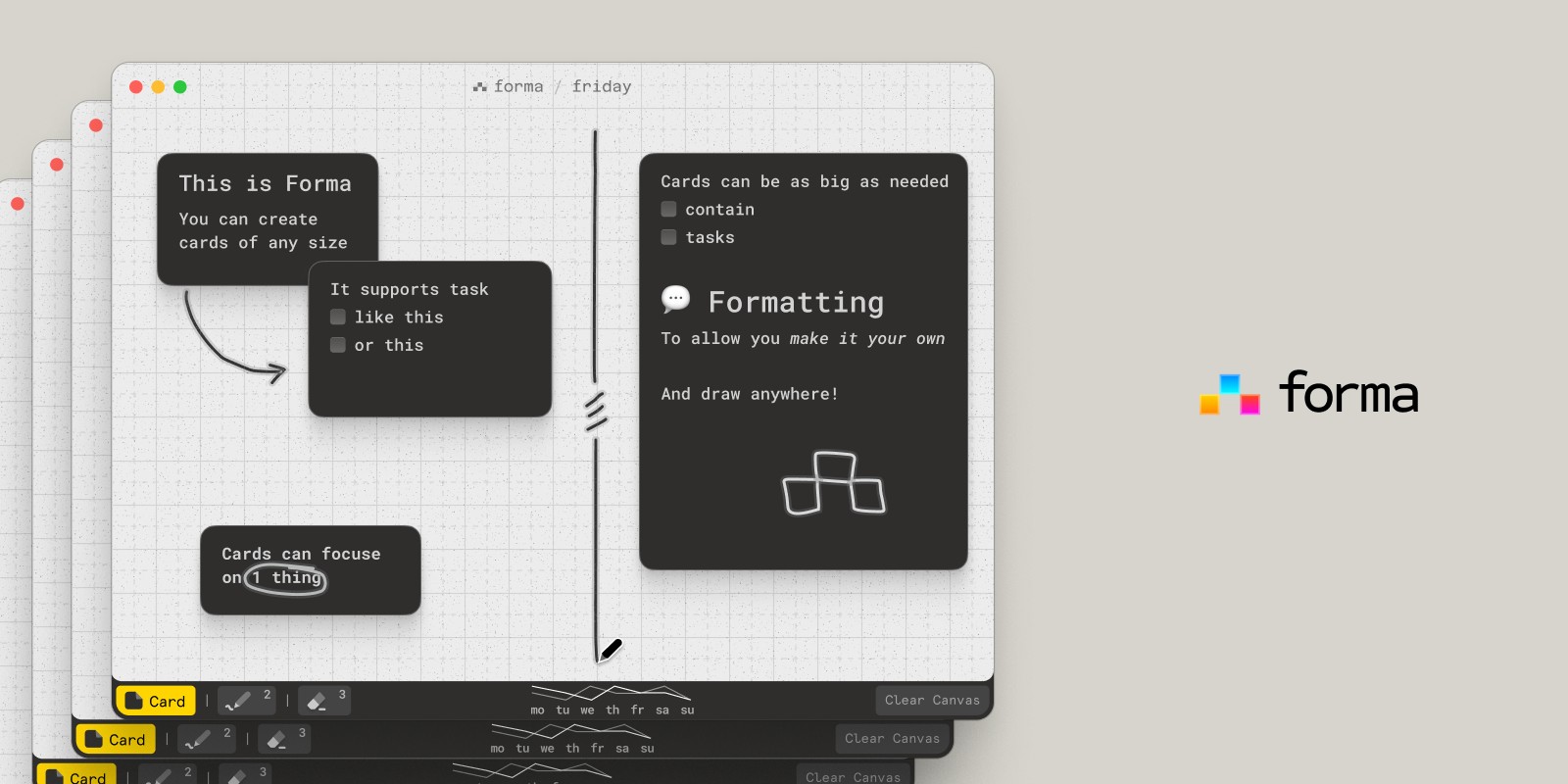
Most brain dump apps give you a list. Forma gives you a board. You add each thought as a card anywhere on the canvas, as fast as it comes, without deciding where it belongs. Then comes the part a list can't do: you drag the cards into groups (this week, someday, worries, ideas), and you can see the shape of everything at once.
That step is where a brain dump stops being overwhelming. Instead of reading down a long list, you look at a few clusters. Any card can become a task with a checklist, so "sort out the car" turns into the three things you actually need to do, right where you wrote it. You can also draw freehand on the board to circle what matters today or cross out what doesn't.
Forma is a native Mac app, free to download with one board, and it needs no account. Everything stays on your Mac and works offline, which makes it a private place to dump the things you wouldn't want in a cloud service. An optional Pro upgrade adds more boards, card colors, PDF export, and iCloud sync between your Macs.
The trade-off: Forma is Mac-only, so it's for the brain dump you do at your desk, such as planning your week or untangling a project, rather than capturing thoughts on the go. Many people pair it with their phone's notes app for capture during the day.
Best for: Visual thinkers and anyone who brain dumps on a Mac and wants to see their thoughts sorted into a plan, not just listed.
Apple Notes: The Best Free Brain Dump App
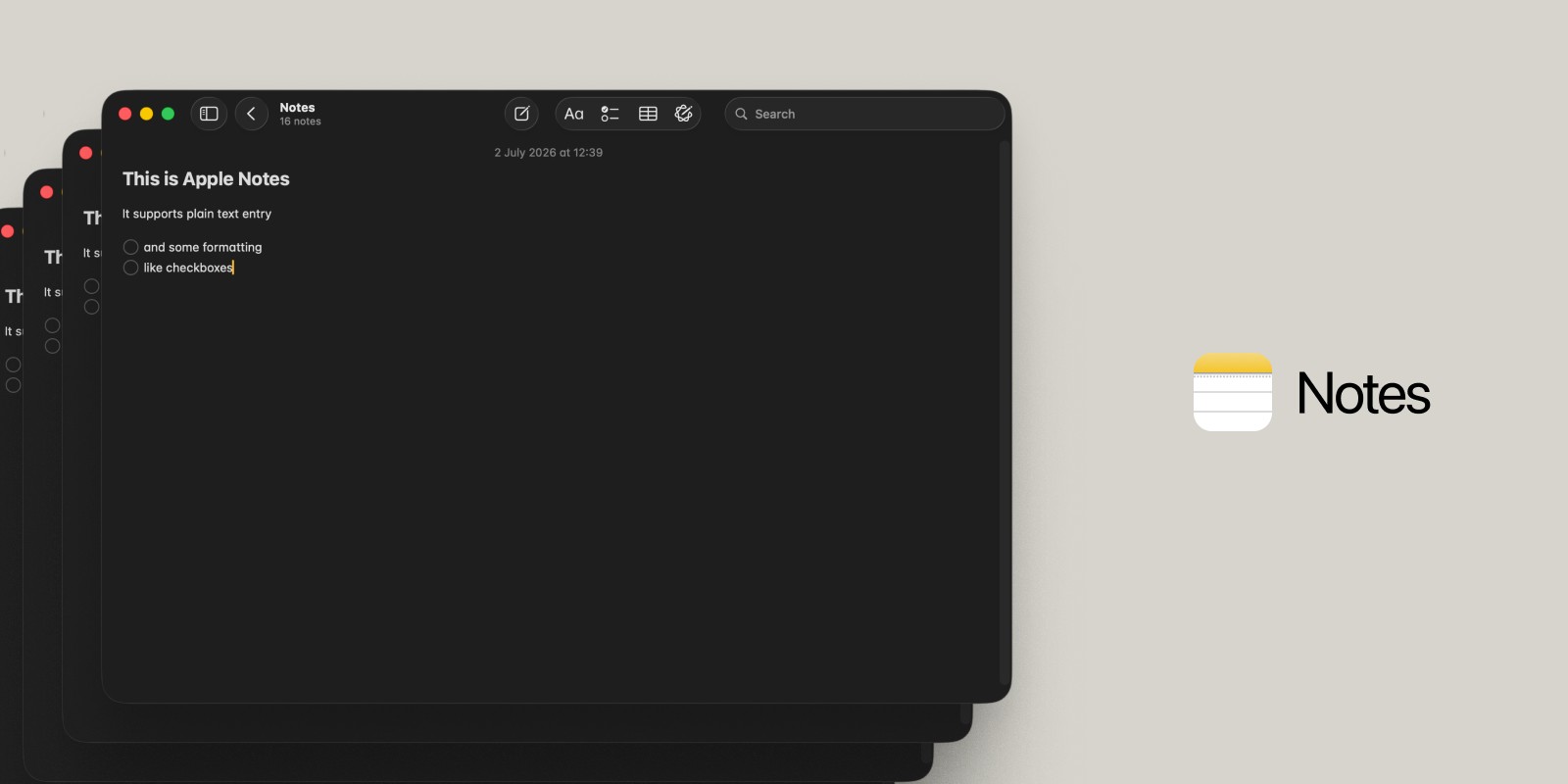
The brain dump app you already have might be the right one. Apple Notes is free on every Mac, iPhone, and iPad, syncs through iCloud, and opens in a second. On a Mac, Quick Note (Globe + Q, or the bottom-right hot corner) opens a note over whatever you're doing, so you can capture a thought without switching apps. On iPhone, you can add a Notes shortcut to your Lock Screen or Control Center.
Notes also supports checklists, so you can turn a dump into a to-do list by converting lines into checkboxes. What it can't do is help you organize: everything stays in one long note, so sorting means scrolling, cutting, and pasting.
Best for: Free, instant capture on any Apple device.
Todoist: The Best AI Brain Dump App for Talking It Out
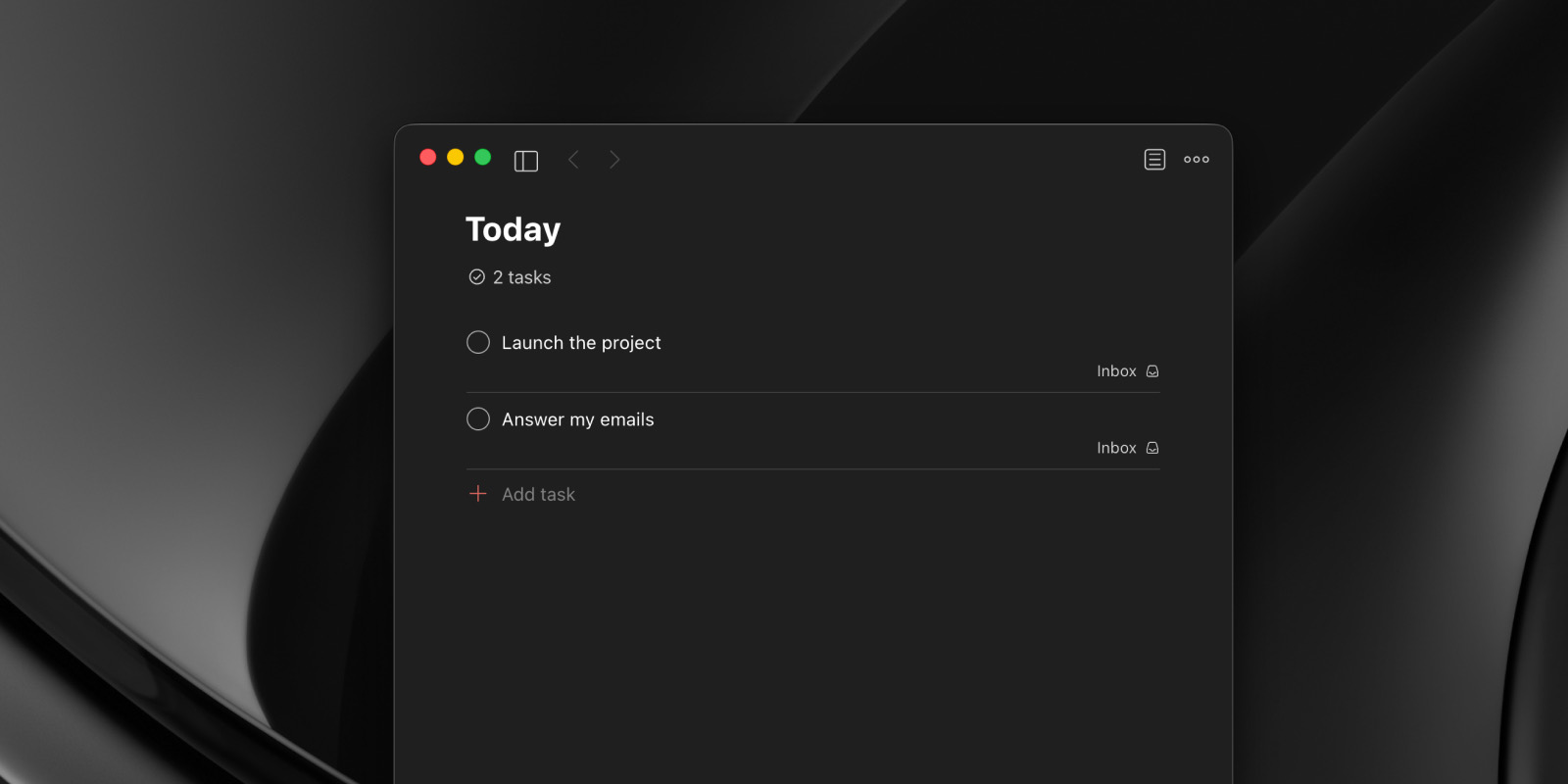
Todoist is a popular to-do list app, and its Ramble feature is built for brain dumps. You tap the microphone and talk through everything on your mind, and Todoist turns it into separate tasks in real time, picking up dates, projects, and priorities from what you say. You can review the tasks before they're added.
Ramble is available on every plan, with limited sessions on the free plan and unlimited use on Pro, which costs $60 per year or $7 per month. Todoist runs on almost every platform, including Android, which makes it a good choice if you're not all-in on Apple. The trade-off is that you get a task list rather than a place to think: worries, ideas, and notes don't fit as neatly as tasks.
Best for: People who think out loud and want an AI brain dump app that turns speech into tasks.
Goblin Tools: AI Help When a Task Feels Too Big
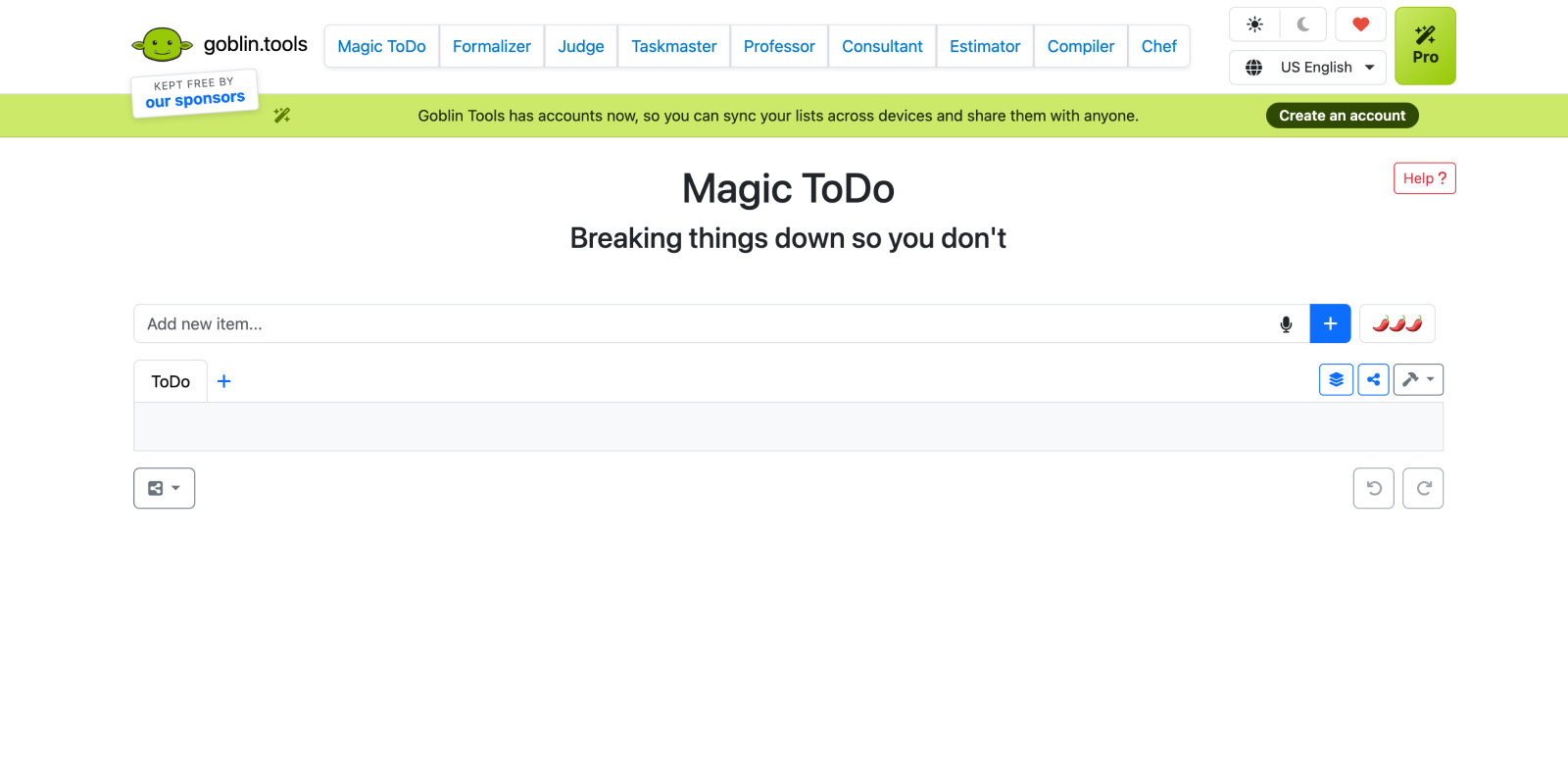
Goblin Tools is a set of small, single-purpose tools designed to help neurodivergent people with tasks they find overwhelming. Its best-known tool, Magic ToDo, takes a task like "clean the kitchen" and uses AI to break it into small, concrete steps, as finely as you need.
It's not a brain dump app on its own, but it's an excellent second step: dump everything somewhere else, then paste the scariest items into Magic ToDo. The website is free with no ads, and low-cost apps are available for iPhone and Android, with an optional Pro subscription for advanced features.
Best for: People with ADHD who get stuck on where to start once their brain dump is done.
Tot: A Tiny Scratchpad for Quick Dumps
Tot by The Iconfactory lives in your Mac's menu bar and gives you exactly seven notes. Click the icon and start typing. It's free on Mac, syncs to iPhone and iPad through iCloud, and supports plain text and Markdown.
The seven-note limit is the point: Tot is for small, temporary dumps you'll clear out soon, not a full weekly brain dump. If your list regularly outgrows a single note, you'll want somewhere with room to sort. Our guide to the best sticky notes apps for Mac covers more apps like it.
Best for: Quick, throwaway dumps that don't need to be organized.
How to Do a Brain Dump (That Actually Turns Into a Plan)
This method works in any app, but it's easiest on a board where you can move things around.
1. Set a timer for 10 minutes. A time limit makes it easier to start and stops the dump from turning into a project of its own.
2. Write down everything, one thought per line or card. Tasks, worries, ideas, reminders, things you're waiting on. Don't sort, don't judge, and don't stop to do anything. If it's taking up space in your head, it goes on the page.
3. Group what you wrote. Sort each item into a few buckets: today, this week, later, and not mine to fix. On a board, you can drag cards into clusters; in a list, add a short label to each line.
4. Turn the "today" items into small next steps. "Taxes" isn't a task, but "find last year's tax form" is. If an item still feels too big, break it down further, or let a tool like Goblin Tools do it for you.
5. Pick three. Choose up to three things for today and put them where you'll see them. Everything else is captured and safe, so you can stop thinking about it.
6. Repeat weekly. A short brain dump at the start of each week keeps the pile from building up again.
A Simple Brain Dump Template
If a blank page is what stops you, start from this layout:
| Where | Section | What goes there |
|---|---|---|
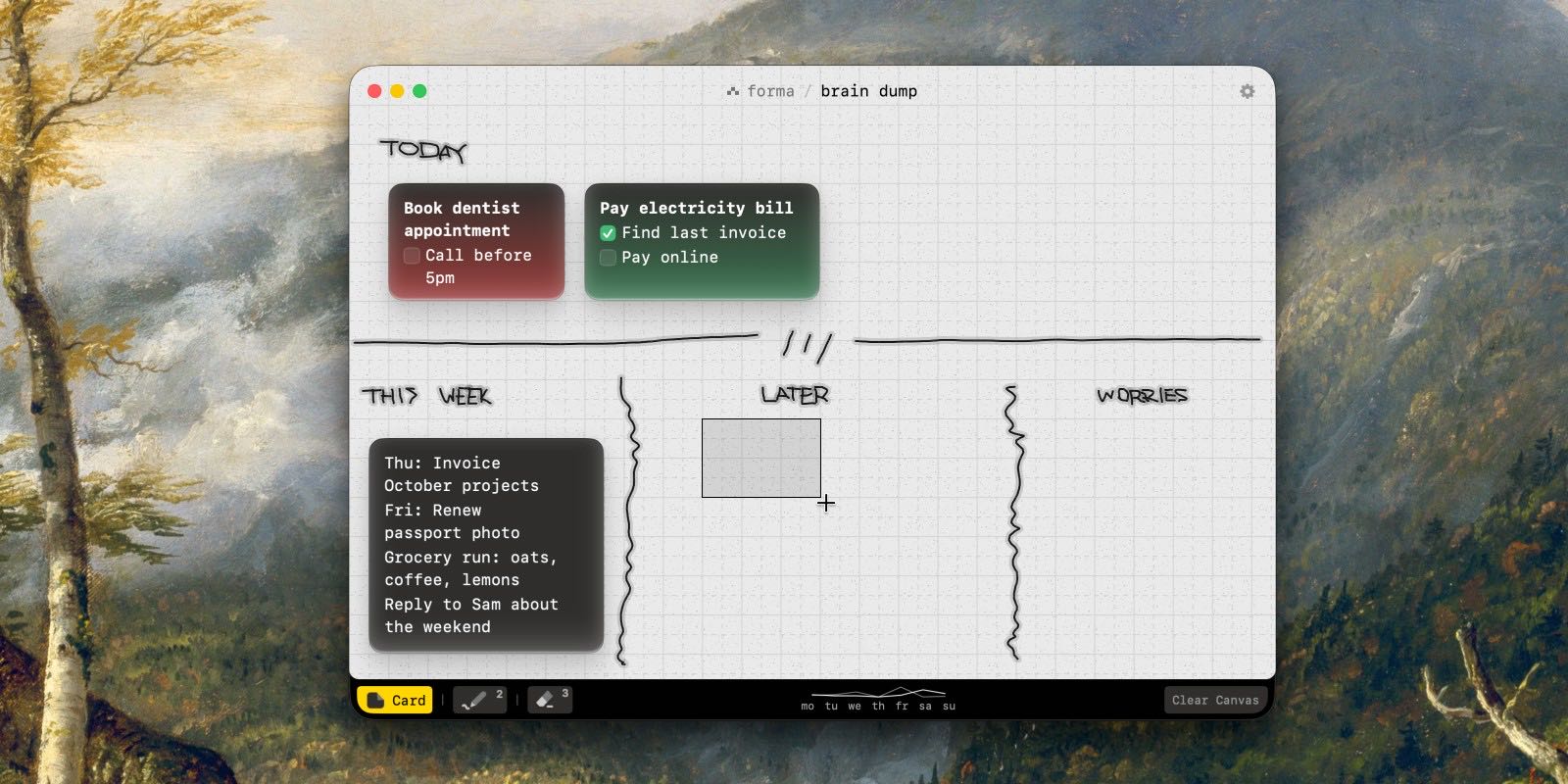
| Top | Today | Up to three cards. Nothing else goes here. |
| Left | This week | Tasks with a rough day, if they have one. |
| Middle | Later | Ideas and someday tasks, so they're out of your head but not in your way. |
| Right | Worries and open loops | Things you're waiting on, or can't act on yet. Writing them down often makes them quieter. |
In Forma, you can set this up on a board in about two minutes: one label card for each area, then drag your dumped thoughts into place and turn the "today" cards into checklists. Here's how it can look:
Brain Dumps and ADHD
Brain dumping is a common strategy among people with ADHD because it moves information out of working memory, which can be the first thing to get overloaded. A few things tend to make brain dump apps more ADHD-friendly:
Capture in seconds. If it takes more than a couple of clicks to save a thought, the thought is often gone. Keyboard shortcuts, widgets, and voice capture all help.
See it, don't scroll it. Long lists are easy to lose things in. A visual board, where everything is visible at once, can make it easier to notice what matters.
Small next steps. Breaking tasks into tiny, specific actions makes them easier to start. Goblin Tools is built for exactly this.
No guilt systems. Apps that pile up overdue badges can make a brain dump feel like another chore. Simple, quiet tools are often easier to come back to.
Apps can help, but they're a support, not a treatment. If ADHD is affecting your daily life, it's worth talking to a doctor or specialist.
Which Brain Dump App Should You Use?
If you brain dump on a Mac and want to sort it into a plan: Forma.
If you want free and already installed: Apple Notes.
If you'd rather talk than type: Todoist with Ramble.
If you get stuck on where to start: Goblin Tools' Magic ToDo.
If you just need somewhere to scribble for a minute: Tot.
Summary
The best brain dump app is the one that makes capture effortless and sorting obvious. Apple Notes and Todoist are great for getting thoughts down anywhere. But if your brain dumps tend to stay as long, overwhelming lists, try doing your next one on a board, where you can see every thought and drag it into place. Download Forma for free and give your weekly brain dump ten minutes on it.
If your brain dumps often turn into projects, our guide to visual project planning software covers the next step.